Hold fn, speak, release - your words appear in any app in under a second. Whisper AI running entirely on your Mac. Zero internet. Zero accounts.
Designed natively for Apple Silicon & Intel
Three steps.
Zero friction.
LexaWrite lives invisibly in your menu bar. There's no setup, no complex configuration, and no window to manage unless you want to.
1. Hold Fn
Press and hold the Fn key (or any custom shortcut). A minimal purple waveform appears, signaling it's listening.
2. Speak naturally
Talk as fast or as slow as you want. Advanced on-device AI captures your voice with profound accuracy, ignoring background noise.
3. Release
Let go of the key. Your text is instantly typed into whatever app you have open. No copy-pasting required.
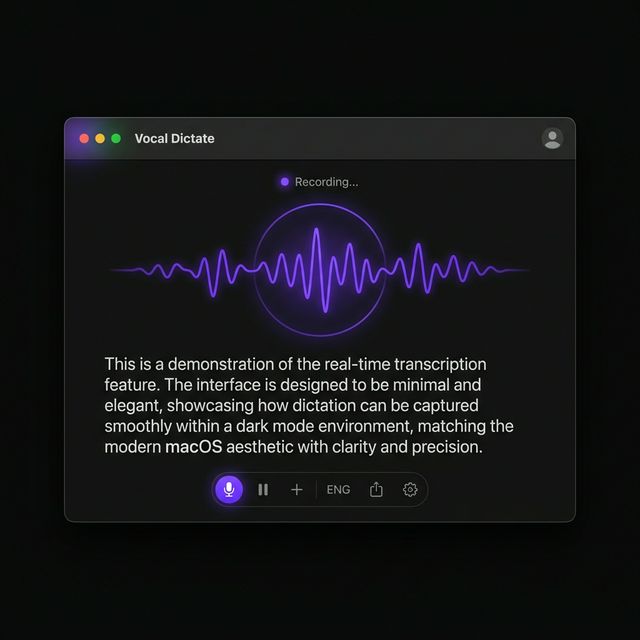
Works everywhere you type.
If it has a cursor, LexaWrite works there. No copy-pasting required. Just hold, speak, and watch your words appear in your favorite apps.
100% On-Device.
Total Privacy.
LexaWrite processes your voice locally using your Mac's Neural Engine. Your audio never leaves your hardware. No servers, no accounts, zero tracking.
Microphone Input
16kHz mono audio buffer
Hardware Acceleration
Apple Metal GPU / Neural Engine
AI Speech Decoder
Timestamp + Text generation
OS Keyboard Injection
Simulated keystrokes directly to app
Smarter dictation.

Lightning Fast
On-device AI processes your speech in near real-time, relying on Apple Silicon Neural Engine to match your thought speed without dropping a beat.

Custom Dictionary
Teach LexaWrite specific industry jargon, unique names, or internal company acronyms so it never misspells them.

Total Privacy
Zero data leaves your machine. Your audio and transcripts remain completely private, secure, and permanently offline.
Transcript History
Optionally keep a local, searchable history of your recent dictations in case you lost your place or need to copy it again.
99 Languages
Instantly switch languages or allow the AI to auto-detect what you're speaking, executing flawless transcription worldwide.
File Transcription
Drop an MP3 or WAV directly onto the LexaWrite icon to transcribe meetings or voice memos entirely offline.
Trusted by professionals.
"I write emails, Slack messages, and documentation at 3x the speed. The fact that it doesn't need an internet connection makes it perfect for flights."
"The accuracy on medical terminology is staggering. It catches terms that cloud-based services routinely fail on. Extremely impressive."
"Hold Fn, speak, release. It bypassed all my muscle memory. It's the first dictation tool that actually feels native to the macOS experience."
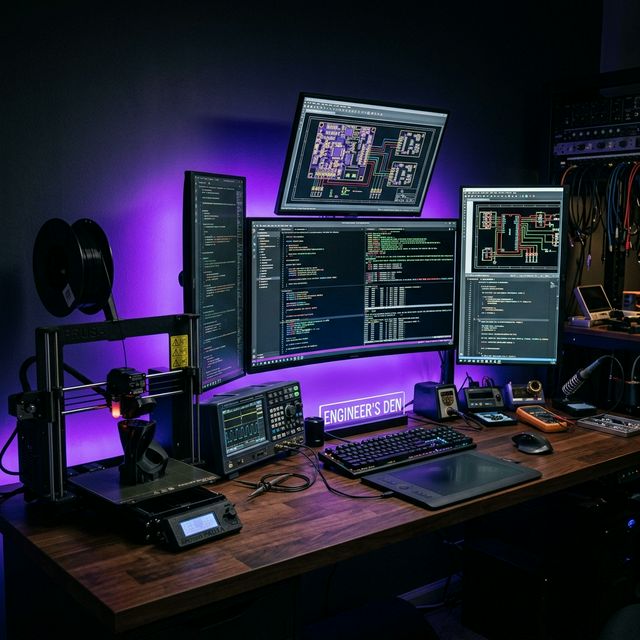
Built for your workflow.
From complex code bases to morning drafting sessions, LexaWrite accelerates your brain-to-screen bandwidth.



Simple pricing.
Download and use it immediately. No account required for the Free plan.
Free
- 5,000 words per month
- Tiny, Base & Small models
- 10 dictionary entries
- 30-day transcript history
Pro
Most Popular- Unlimited words
- All models including Large
- Unlimited dictionary entries
- Unlimited transcript history
- Audio file upload
- Custom style matching
- Re-transcription
Common questions.
Yes. LexaWrite downloads the AI model to your Mac. All voice transcription happens securely on your own hardware using Apple's CoreML and Metal. Your voice data is never sent to the cloud.
Yes, LexaWrite runs on macOS Monterey (12+) and supports both Apple Silicon (M1/M2/M3) and Intel processors. Note that transcription speed on M-series chips is significantly faster due to the dedicated Neural Engine.
Absolutely. The Custom Dictionary feature allows you to add specific names, medical terms, code jargon, or acronyms so LexaWrite nails the spelling every single time.
Free gives you 5,000 words/month with smaller AI models. Pro unlocks unlimited words, all models including Large-v3 for maximum accuracy, unlimited dictionary entries, audio file upload, style matching, and re-transcription.
Dictate beautifully.
Join thousands of professionals saving hours a week on their Mac.
Download Free for Mac